18 February 2015

Benefits of Pair Programming Revisited


Let's take a fresh look at pair programming, with an eye towards systems optimization.

Pair programming is perhaps the most controversial of the many agile engineering practices. It appears inefficient on the surface, and may often measure as such based on code output (the infamous KLOC metric) or number of coding tasks completed. But dismissing it without exploring the impact to your overall value-stream could actually slow down throughput.  We'll take a look at the benefits of pair programming--some subtle, some sublime--so you are well-equipped to evaluate the impact.


Definition


Pair programming is the practice of having two people collaborating simultaneously on a coding task. The pair can be physically co-located, as in the picture below, or they can use some form of screen-sharing and video-chat software.  The person currently using the keyboard and mouse is called the "Driver" and the other person is the "Navigator."  I say "currently" because people will often switch roles during a pairing session.

Low-stress, co-located pair programming looks like this:  Neither Driver nor Navigator has to lean sideways to see the screen, or to type on the keyboard. The font is large enough so both can read the code comfortably. We're not sitting so close that our chairs collide, but not so far that we need to mirror the displays.

Misconceptions


There are many misconceptions about pair programming, leading people to conclude that "it's two doing the work of one." Here are a few of the more common misapprehensions...

Navigator as Observer

The Navigator is not watching over your shoulder, per se.

The Navigator is an active participant. She discusses design and implementation options where necessary; keeps the overall task, and the bigger design picture, in mind; manages the short list of emerging sub-tasks; selects the next step, or test, or sub-task to work on; and catches many things that the compiler may not catch. (If there is a compiler!)  There isn't really time for boredom.

If she is literally looking over your shoulder, then you're not at a workstation suitable for pairing. Cubes are generally bad for pairing, because the desks are small or curved inwards. Co-located pairing is side-by-side, at a table that has a straight edge or is curved outwards.

Often only one wireless keyboard and one wireless mouse are used.  Wireless devices make switching Drivers much easier.

Unless the pair is not co-located, one screen for the code is sufficient. Other monitors can be used for research, test results, whatever. You may want to avoid having the same image displayed on two adjacent screens.  It may seem easier at first, but eventually one of you will gesture at the screen and the other will have to lean over to see the target of the gesture.

Pairing as Just Sitting Together

Pairing is not two people working on two separate files, even if one file contains the unit tests and the other contains the implementation code.  Both people agree on the intent of the next test, and on the shape of the implementation.  They are collaborating, and sharing critical information with each other.

The Navigator may occasionally turn to use a second, nearby computer to do some related research (e.g., the exact syntax for the needed regular expression). This is always in response to the ongoing conversation and task. It is not "oh, look, I got e-mail from Dr. Oz again...!"

Navigator as Advisor

Pair programming is not a master/apprentice relationship. It's the meeting of two professionals to collaborate on a programming task.  They both bring different talents and experience to the task. Both people tend to learn a lot, because everyone has various levels of experience with various tools and technologies.

In 2003 I was tech lead and XP coach on a growing team.  We had just hired an excellent candidate nearly fresh out of college. He and I sat down to pair on the next programming task.  I described how we were planning to redo the XML-emitting Java code to meet the schema of our biggest client, instead of supporting our long-lived internal schema.  I explained that we expected to have to change quite a bit of code, and perhaps the database schema as well, and that we'd be scheduling it in bits and pieces over the upcoming months.  I reassured him that we had plenty of test coverage to feel confident in our drastic overhaul.

He frowned, and said, "Why not just run the data through an XSLT transformation?!"  (XSLT is a rich programming language written as XML, designed for such transformations. Until this point, I hadn't given it much consideration.)

He saved us months of rework! To my delight, I learned a new technology (new for me anyway). My contribution to the efforts was to show him how we could use JUnit to test-drive the XSLT transformations.  Both parties learned a great deal from each other.

In software development, there are no "juniors" or "seniors," just people with varying degrees of knowledge and experience with a wide variety of technologies and techniques.

Systemic Benefits

Fewer Defects

This is the most-cited benefit of pair programming.  It's relatively easy to measure over time.

In my own experience, it's not clear that this is the main benefit.  I've always combined pair programming with TDD, and TDD catches a broad variety of defects very quickly.  In that productive but scientifically uncontrolled environment, measuring defects caught by pairing becomes much more difficult.

But this is where systems thinking comes in:  Pair programming reduces rework, allowing a task or story that is declared "done" to be done, without having to revisit the code excessively in the future.  Pair programming may be slower, the way quality craftsmanship always appears slower:  The code remains as valuable in the future.

The benefits that follow reflect this.  Pair programming is an investment.

Better Design

I've noticed that even the most experienced developer, when left to himself, will on occasion write code that only one person can quickly understand:  Himself.  And often even he won't understand it months from now.

But if two people write the code together, it instantly breaks that lone-wolf barrier, resulting in code that is understandable to, and changeable by, many.

Continuous Code Review

Because most (around 80%) of defects and design issues are caught and fixed immediately with pair programming, the need for code reviews diminishes.

Many times I've seen this nasty cycle:
All code must be reviewed by the Architect. The Architect is overburdened with code reviews.  The Architect rubber-stamps your changes in order to keep up with demand for code reviews. Defects slip past the code-review gate and make their way into production. All code must be reviewed by the Architect.
This shows up in the value-stream (or your Kanban wall) as an overloaded code-review queue.

Also, if the Architect does catch a mistake, the task is sent back to the developers for repair and rework. This shows up in the value-stream as a loop backwards from code-review to development. And rework is waste.  The longer the delay between the time a defect is introduced and the time it is fixed, the greater the waste.

From a Lean, systems, or Theory of Constraints standpoint, the removal of a gated activity (the code review) in favor of a parallel or collaborative activity (pair programming) at the constraint (the most overburdened queue) may improve throughput.

Enhanced Development Skills 

The educational value of pair programming is immense, ongoing, and narrowed in scope to actual tasks that the team encounters.

An individual who encounters a challenging technological hurdle may assume he knows the right thing to do when he doesn't, or spend a great deal of time in detailed research, or succumb to feelings of inadequacy and try to find a circuitous, face-saving route around the hurdle.

When a pair encounters a hurdle that neither has seen before, they know immediately that it's a significant challenge rather than a perceived inadequacy, and that they have a number of options. Those options are explored in just enough detail to overcome the hurdle efficiently.

People don't often pair with the same person for an extended period of time, so there's opportunity for a broad, and just-deep-enough, continuous education in relevant technologies, tools, techniques.

Through this ongoing process of shared learning and cross pollination, the whole development team becomes more and more capable.

For example, perhaps your SQL-optimization expert pairs with someone who is interested in the topic today.  Tomorrow, the SQL-optimization expert can go on vacation, without bringing development to a halt, and without having a queue of unfinished work pile up on her desk while she's in Hawai'i.

Not everyone has to be an expert in everything.  The task can be completed sufficiently to complete the story, and perhaps a more specific story or task will bring the tanned-and-rested expert's attention to the mostly-optimized SQL query at a later time.

This is an important risk-mitigation strategy, because having too few people who know how to perform a critical task is asking for trouble.

Improved Flow

Imagine you are the leader of a development team.  You walk in after a nice relaxing weekend and see one of your developers hard at work. "Hey, Travis, how was your weekend?"

Travis gets this frustrated look on his face (generally, developers should not play poker), "Uh...what? Oh.  Fine!" and he waves you away dismissively.  You've pulled him from The Zone.

What if, instead, you had walked in to see Travis and Fred sitting together, conversing quietly, and looking intently at a single computer screen.  Wouldn't you save your greeting for later?

Or, what if you had something important to ask? "Hey guys, are you going to make the client meeting at 3pm today?"

Travis continues to stare intently at the screen, and types something; but Fred spins his chair, "Oh, right!  I'll add that to our calendars." He writes a brief note on a 3x5 card that was already in his hand, and smiles reassuringly, "We'll be there!"

See the difference? Fred has handled the priority interruption without pulling Travis out of The Zone, without forcing the pair to task-switch (another popular form of waste). And Travis will be able to get Fred caught up very quickly, and they'll be on their way to finishing the task.

Mutual Encouragement

"Encouragement" contains the root word "courage."  With two, it's always easier to face our fears, our fatigue, and our foibles.

Even if both Driver and Navigator are fatigued (e.g., after a big team lunch, or a long morning of meetings), together they may muster enough energy and enthusiasm to carry on and complete a task.

Enhanced Self-Control

Have you ever taken a "brief" personal break, only to discover 90 minutes later that your still involved in that phone call with Mom, Facebook update, or silent daydream?

Don't feel bad. It's natural.

If you and your pair-programming partner agree to a 15 minute break, however, you will be more likely to time your activities to return to the pairing workstation in 15 minutes, and you're more likely to engage in actual restful activities, rather than checking e-mail for 13 minutes before walking to the coffee shop.

Also, while writing code, neither Driver nor Navigator will allow themselves to become repeatedly distracted by e-mail pop-ups or cell phone ringtones.  If it's not urgent, it can wait. Or, either person can call for a break.


Human Systems


We have to remember that humans make up this complex adaptive system we use to build things, and so human nature has an extremely large impact on how we build things.

Pairing helps alleviate distraction, fatigue, brittle code, skills-gaps, embarrassment over inadequacy, communication issues, fear of failure. Pairing thus improves overall throughput by decreasing rework and hidden, "deferred" work.

I find that pair programming is usually faster when measured by task completion over time.  On average, if you give two people two dev tasks, A and B, they will be done with both tasks sooner if they pair up and complete A and B sequentially, rather than if one takes A and the other takes B.

On the surface, this may seem to contradict my earlier systems-related advice about replacing a gate with collaboration.  But there is no gate, explicit or implicit, between these developers or between most software development tasks.

Also, much depends on where a change is applied relative to the actual constraint.  If you optimize upstream from the constraint, you'll likely gum up the system even more.  (You didn't think scaled agility was going to be delivered in a pretty, branded, simple, mass-produced, gift-wrapped box...did you?! ;-)

But if you discover that your current constraint is within the development process, then allowing the team to use pair programming may considerably improve overall throughput of value. (Emphasis on value. "Velocity" isn't value. Lines of code are not necessarily valuable either. Working, useable, deployed code is valuable.)

Try It


I've used pair programming on a number of teams since 1998, and I've always found it beneficial in the ways described above, and many other ways.

All participants in my technical classes, since 2002, pair on all coding labs.  It's a great experience for participants: they often learn a great deal from each other as well as from the labs. It also benefits me, the instructor:  I can tell when a pair is in The Zone, stuck, finished, or not getting along; all by listening carefully to the levels and tone of conversations in the room.

I recommend, as with all new practices, you and your team outline a simple plan (or "test") to determine whether or not the new practice is impacting the working environment for the better.  Then try it out in earnest for 30 days, and re-evaluate at a retrospective.  Pair programming, as with many seemingly counter-intuitive agile practices, may just surprise you.


20 March 2014

An open letter to the Editor in Chief of Dr. Dobb's

Here is the letter I just sent to Andrew Binstock at Dr. Dobb's regarding this editorial:

http://www.drdobbs.com/architecture-and-design/the-corruption-of-agile/240166698

Hello Mr. Binstock,

I agree with your conclusions regarding the productization of Agile, and the zealotry regarding various sets of practices.  Within every community or body of knowledge, it seems, strong practices become the dogma of the enthusiastic, and then the core value gets lost in illogical debates where everyone is trying to be “right."

I’d like to take a moment of your time to provide some of my experience with the practice that you selected (likely not arbitrarily) as an example of the zealotry:  Test-Driven Development (TDD). Indeed, there is a lot of confusion and passion and zealotry regarding this practice.  I feel no need to defend, exactly, but I believe I understand much of the enthusiasm, and much of why most people can’t really articulate their love for TDD.  One reason why it’s so confusing even for those passionately in favor of TDD is that the real value appears as a “sub-practice” of TDD. (I’ll come back to that.)

I’ve been writing code since 1976, and in the “Agile” space since 1998, when I first experienced TDD (or “test-first” as it was known then).  Unlike many of my bright-eyed young Agile colleagues, I spent half my career crafting quality, nearly-defect-free code before that point, without TDD.  Here’s what I’ve noticed over time:


1. From “All in your head” to "fast feedback."

Pre-TDD, I spent a lot more time running various branches and permutations through my mind, or in a flowchart, or in a sequence diagram, and in review with others on my team.  All great practices, and necessary in the days when it took an hour to compile the code.

What I do with test-first coding is describe the outcomes of small pieces of behavior in my code, then allow those passing tests to provide confirmation of my investment in that behavior.  I no longer have to keep the permutations and possibilities in my head.  Great burden lifted.  We’ve long had compilers to provide a red flag when I make a syntactic mistake, and now fast tests provide similar near-instantaneous feedback when I mistakenly change run-time behavior.  To me, TDD feels like a natural progression of good practices for the computer scientist, and the professional developer.


2. From slow and expensive to fast and cheap.

The code I was building pre-TDD was probably a little more complex than Internet protocols, but not much. We did supercomputer protocol stacks for a variety of machines, some of them with 36-bit words and 9-bit bytes. Two modes: Character and binary, but character was also subdivided into translations between any two of ASCII, EBCDIC, and BSD.  Oh, how I would have loved a (really fast) implementation of something like Strategy or maybe there’s even a Bridge hiding in there?

Nowadays I find our products to be, in the aggregate, far more complex than in the 80’s: Voice-recognition, search, security, multi-platform, interesting business rules regarding financial transactions, regional laws, internationalization…  Far too much changing (or potentially changing) far too quickly for us to do more than paint broad-stroke architectures at the high level; and far too complex and dynamic for our developers to be doing code-and-fix-and-update-the-UML.-that-no-one-reads.

Overall, TDD now feels far more natural to me.  I play a game with my code:  “You can’t do this yet,” I say. My code replies “You’re right, I fail at that.” I then tell my code how to do that, and together we confirm that it works, and simultaneously confirm that I haven’t broken anything my code has learned over the years. Then I see if the introduction of that implementation is asking to be blended more cleanly into the code: Refactoring is the oft-neglected sub-practice of TDD. Each time I reshape the design to accommodate this new behavior or the next, I run the tests to let my code confirm that it hasn’t lost any capability.

In fact, “relentless refactoring,” i.e., the constant application of good design practices, is the real “must have” for Agile software development. How else adapt to fresh new unexpected requirements without being able to reshape code? But without some form of fast, automated, deterministic safety-net of tests, relentless refactoring is mere dangerous unprofessional hacking. Ergo, test-first coding.

I’m not attached to TDD or even “Agile" as static, dogmatic sets of practices for the very reason that I already know it was once less efficient than pure human brain-power. Someday we will look back and laugh at our zeal. But I think TDD has some good life left to it, because of the outcomes:  Comprehensive, executable engineering documentation describing all the discrete behaviors of the system in a non-combinatorial fashion; and the ability to change the code rapidly and confidently.

Thank you for your time and kind consideration.

Rob Myers

08 October 2013

Solving the Legacy Code Problem

What is Legacy Code?


In his book, Working Effectively with Legacy Code, Michael Feathers defines legacy code very simply:  Code without tests.  He isn't trying to be inflammatory, or suggest that you are a bad person because you have written legacy code (perhaps yesterday). He's drawing a clear boundary between two types of code.  James Shore (co-author of Art of Agile) has an equivalent definition:
"Code we're afraid to change."
Simply put, if it has tests that will prevent us from breaking behavior while adding new behavior or altering design, we can proceed with confidence.  If not, we feel appropriately uneasy.

Of course, if you plan to never release a new version of your code, you won't need tests.  In my almost 40 years of programming, I've not seen that happen even once.  Code needs to change. Ergo, code needs tests.

Build Your Team's Safety Net


Your team may want to adopt this metaphor: Think of your whole suite of automated regression tests as a safety-net that the team builds and maintains to keep themselves from damaging all prior investment in behavior.

If it takes two hours to run them all, you'll run them once per day, and if they catch something, you know that someone on the team broke something within the last 24 hours.  If it takes one hour, you'll run them twice per day (once at lunch) and you've narrowed down the time by half.  That's probably better than 80% of the teams in the world, but it can be even better. 

I'll give you a real-world example: I worked on a life-critical application in 2002.  After two years of development, this product had a comprehensive suite of 17,000 tests.  They ran in less than 15 minutes.  That team often took on new developers, and we gave them this simple message:  "You break something, someone may die.  But you have this safety net.  You can make any change you believe is appropriate, but don't commit the change until you run the tests." In the time it took to walk to the cafe and buy a latte, I would know whether or not I was making a mistake that could cause someone to die.

We made changes up to a day before going live.

It can be that good.  Of course, it takes effort to "pay down" the legacy code debt (and a lot of mock/fake objects…another topic for another day.)  But the longer you wait, the worse the debt becomes.

Characterization Tests


The product mentioned above was developed from the ground up with unit tests written by a team who embraced unit-test-level Test-Driven Development (TDD).  Nice work if you can get it.  The rest of the world faces legacy code debt. 

You don't have to pay it all down before you proceed. In fact, you mustn't.  You have to be thoughtful about selecting high-risk areas:  An area of code that breaks frequently, or is changed frequently, should first be "covered" with "characterization" tests.

"Characterization test" is not defined by any particular type of tool. We often use the unit-testing framework, but we're not limited to it.

Like unit-tests, these tests must be deterministic, independent, and automated.  Unlike unit-tests, we want to "cover" the most amount of system behavior with the fewest number of tests and the least effort.  When you write these tests, you are not bug-hunting, but rather "characterizing" or locking down existing behavior, for better or worse.  It's tempting to fix production bugs as you go, but fixing a bug that's escaped into the wild could introduce another bug, or break a hidden "feature" that a customer has come to rely on.  It's fine to note or log the bug, but your characterization test should pass when the bug manifests itself.  Name the test with a bug description or ticket number, so the team can easily find it later.

Why not fix the production defect? Because the point of creating this safety net is to give you the freedom to refactor. You may be refactoring so you can add new behavior more easily, or even so you can fix a bug more easily later, but refactoring and adding behavior are two distinct activities. Using TDD, they are two separate steps in the cycle.  (Aside:  Fixing a bug is effectively adding new behavior, because the system wasn't actually behaving the way we expected. You can use TDD for that.)

The unit-testing framework and developer IDE usually gives us the most flexibility, plus the ability to mock dependencies and use built-in refactorings for safety. But in order to lock down large swaths of behavior, teams should think creatively. I've worked with teams who compared whole HTML reports, JPEG images, or database tables; or who have rerouted standard input and output streams. The nature of the product and the size of the mess may dictate the best approach.

And don't aim for a duration target, e.g., "15 minute test runs." Teams sometimes respond to arbitrary targets by sabotaging their own future in order to make the numbers.  For example, deleting existing tests! Rather, aim for improvement by looking for the greatest delay in testing.  Weigh a "huge refactoring" of the persistence layer against using an in-memory database.  There is no in-memory version of your database software?  Use a solid-state drive. Developers are naturally creative problem-solvers, particularly when they collaborate.

Resistance is Futile


Code written without tests often resists testing. When you write unit-tests test-driven, they tend to be very tiny, compact, isolated, and simple (once you get the hang of it). It's actually easier and faster to write them with the code using TDD, even though you end up with more of them.  Interestingly, if you write your unit-tests after the code has been written, you are really writing characterization tests: They're harder to write, they're often a compromise that tests a number of behaviors, and they often give you the bad news that you made a mistake while coding. This is why most developers hate writing "unit-tests" (me, included). We were doing it backwards.

That may make writing characterization tests seem unbearably painful, but it's really not.  Once you collect a handful of simple, "surgical refactorings" for creating testable entry-points into your behaviors, the legacy code problem becomes a bit of an archeological expedition: Find the important behaviors, carefully expose them, then cover them with a protective tarp.  It can be rewarding all by itself. But the big payoff comes later, when it's time to change something.

02 January 2013

The Sportscar Metaphor: TDD, ATDD, and BDD Explained


Your Mission, Should You Accept...


You've been tasked with building a sports car.  Not just any sports car, but the Ultimate Driving Machine.


The Ultimate Driving Machine

Let's take a look at how an Agile team might handle this...

Acceptance Test Driven Development


What would a customer want from this car?  Excitement! And perhaps a degree of safety.  Let's create a few user stories or acceptance criteria for this (the line between those two will remain blurred for this post):
  • When I punch the accelerator, I'm pushed back into my comfortable seat with satisfactory acceleration.
  • When I slam on the brakes, the car stops quickly, without skidding, spinning, or flipping, and drivers behind me are warned of the hard braking.
  • When I turn a sharp corner, the car turns without rocking like a boat, throwing me against the door, skidding, spinning, or making a lot of silly tire-squealing noises.
These are good sample acceptance criteria for the BMW driving experience.  We can write these independently of having a functioning car to test. That's what makes this "Test Driven" from an Agile perspective:  The clear, repeatable, and small-grained tests, or specifications, come before we would expect them to pass.  This is fairly natural, if you consider each small collection of new tests to be Just-In-Time analysis of a user story. That's "Acceptance Test Driven Development," or ATDD, in a nutshell.

In order for us to write truly clear, repeatable "acceptance tests" for a BMW, we would need to get much more specific about what we mean by "punch", "satisfactory", "slam", "sharp". In the software world, this would involve the whole team: particularly QA/Test and Product/BA/UX, but with representation from Development to be sure no one expects Warp Drive. The team discusses each acceptance criterion to determine realistic measurements for each vague, subjective word or phrase.

DONE Done

What levels of fast, quick, fun, exciting, and safe are acceptable? What tests can we run to quickly assess whether or not our new car is ready for a demo? How will we know we have these features of the car fully completed, with acceptable levels of quality, so that we don't have to return to them and re-engineer them time and time again?

Once an acceptance test passes (and, on a Scrum team, once the demo has been completed and the stories accepted by the Product Owner), they become part of the regression suite that prevents us from ever allowing these "Ultimate Driving Machine" qualities from degrading.

Test-Driven Development 


Now the engineers start to build features into the car.  A quick architectural conversation at the whiteboard identifies the impact upon various subsystems, such as chassis, engine, transmission, environmental/comfort controls, safety features.

What would some unit tests (aka "microtests") look like?  Perhaps these would be examples (keep in mind that I'm a BMW customer, not a BMW engineer, and have little idea of what I'm talking about):
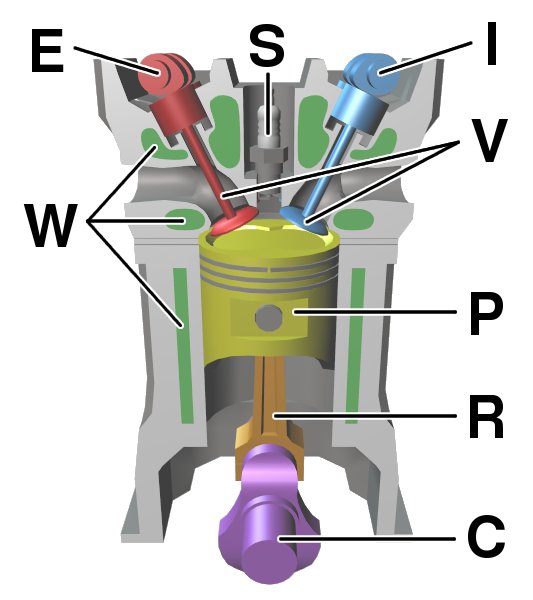
  • When the piston reaches a certain height, the spark plug fires.
  • When the brake pedal is pressed 75% of the way to the floor, the extra-bright in-your-face LED brake lights are activated.
  • When braking, and a wheel notices a lack of traction, it signals the Anti-Lock Braking system.
See the difference in focus?  Acceptance Tests are business-facing as well as team-guiding.  Microtests are tools that developers use to move towards completion of the Acceptance Tests.

I used to own a BMW. I couldn't do much to maintain it myself, except check the oil.  I would lift the hood, and admire the shiny engine, noting wistfully that cars no longer have carburetors, and I will probably never again perform my own car's tune-up.

Much of what makes a great car great is literally under the hood.  Out of sight. Conceptually inaccessible to Customers, Product Managers, Marketers...even most Test-Drivers. What makes the Ultimate Driving Machine work so well is found in the domain of the expert and experienced Engineer.

In the same way, unit tests are of, by, and for Software Developers.

What's the Difference?

In both cases, we write the tests before we write the solution code that makes the tests pass.  Though they look the same on the surface, and have similar names, they are not replacements for each other.

For TDD:
  • Each test pins down technical behavior.
  • Written by developers.
  • Intended for an audience of developers.
  • Run frequently by the team.
  • All tests pass 100% before commit and at integration.
For ATDD:
  • Each test pins down a business rule or behavior.
  • Written by the team.
  • Intended for the whole team as audience.
  • Run frequently by the team.
  • New tests fail until the story is done.  Prior tests should all pass.
Which practice, ATDD or TDD, should your team use? Your answer is embedded in this Sportscar Metaphor.*
 

Behavior Driven Development


For a long time no one could clearly express what "Behavior Driven Development" or BDD was all about. Dan North coined the term to try to describe TDD in a way that expressed what Ward Cunningham really meant when he said that TDD wasn't a testing technique.

Multiple coaches in the past (me, included) have said that BDD was "TDD done right." This is unnecessarily narrow, and potentially insulting to folks who have already been doing it right for years, and calling it TDD.  Simply because many people join Kung Fu classes and spend many months doing the forms poorly doesn't mean we need to rename Kung Fu. (Nor should we say that "Martial Arts" captures the uniqueness of Kung Fu.)  

I witnessed a pair of courageous young developers who offered to provide a demo of BDD for a meetup.  They used rspec to write Ruby code test-first.  They didn't refactor away their magic numbers or other stink before moving on to other randomly-chosen functionality. "This can't be BDD," I thought, "because BDD is TDD done well."

TDD is TDD done well.  Nothing worth doing is worth doing incorrectly.  I had been using TDD to test, code, and design elegant software behaviors since 1998. I wanted to know what BDD adds to the craft of writing great software.

I can say with certainty that I'm a big fan of BDD, but I'm still not satisfied with any of the definitions (and I'm okay with that, since defining something usually ruins it).  A first-order approximation might be "BDD is the union of ATDD and TDD."  This still seems to be missing something subtle. Or, perhaps there is so much overlap that people will come up with their own myriad pointless distinctions.

However we try to define it in relation to TDD, BDD's value is in the attention, conversations, and analysis it brings to bear on software behaviors.

In hindsight, I have already seen a beautiful demo, by Elisabeth Hendrickson, of TDD, ATDD, and (presumably the spirit of) BDD techniques combined into one whole Agile engineering discipline.

She played all roles (Product, Quality, Development) on the Entaggle.com product, and walked us through the development and testing of a real user story.  She broke the story down into a small set of example scenarios, or Acceptance Tests. She wrote these in Cucumber, and showed us that they failed appropriately.  She then proceeded to develop individual pieces of the solution using TDD with rspec.

Then, once all the rspecs and "Cukes" were passing, she did a brief exploratory testing session (which, by definition, requires an intelligent and well-trained human mind, and thus cannot be automated). And she found a defect!  She added a new Cuke, and a new microtest, for the defect; got all tests to pass; and demonstrated the fully functioning user story for us.

All that without rehearsal, and all within about 45 minutes.  Beautiful!

* I have a draft post that further describes, compares, and contrasts the detailed practices that make up ATDD and TDD, along with a little historical perspective on the origins of each. For today, I wanted to share just the Sportscar Metaphor. It's useful for outlining which xDD practices to use, and how they differ.

21 November 2012

Startups and TDD: Building The Next Big Thing with Disciplined Agile Engineering Practices

I've coached and trained so many start-ups who are in a later round of funding, or are building the next release of their software, and wish they had done things differently. Usually, I'm there to help them establish good Agile engineering practices (and help clean up the mess).

I understand the "just get it delivered" pressure on startups, and that they have to beat the competitors (both known and unknown) to market.  But I don't buy into the notion that excessive technical debt must be accrued in the first delivery. It's not necessary, because test-driven development (TDD), pair programming, continuous integration (CI) and other "Agile Engineering Practices" (a.k.a. "Scrum Developer Practices" a.k.a. "Extreme Programming (XP) Practices") all provide actual, tangible benefits; and much more quickly than most people expect.

In my developer courses, I often quote the Nagappan Paper:
The results of the case studies indicate that the pre-release defect density of the four products decreased between 40% and 90% relative to similar projects that did not use the TDD practice. Subjectively, the teams experienced a 15–35% increase in initial development time after adopting TDD.
-- research.microsoft.com/en-us/groups/ese/nagappan_tdd.pdf, Nagappan et al,  © Springer Science + Business Media, LLC 2008 
If I were seeing my fellow investors get that kind of return on investment, I'd want to get in too.  And early!

Of course, the choice of whether to take on technical debt or to "pay as you go" by adopting these practices from the start would depend on how long it takes for the practices to pay for themselves.  (And, yes, of course each has a cost.)

My friend and colleague, Arlo Belshee, and I were having a conversation about Agile transitions.  Arlo, like myself, is an old XP aficionado (at least, as far as I can tell...sometimes Arlo is hard to read), and we've both had amazing successes and wonderful experiences on full-blown XP teams.  I must have asked him which practices he would suggest the team implement first, assuming they needed to pick up these practices gradually.  He chose continuous integration and pair-programming.

I was a little surprised he didn't include TDD, because TDD resolves so many root causes of trouble on Agile teams. But his explanation won me over:  These two practices immediately provide very fast feedback loops and high-bandwidth communication for the team.

By emphasizing "immediately" I'm suggesting that these practices pay for themselves right away, so avoiding them because they appear costly is a poor bet.

In my own experience, TDD also starts to pay dividends almost immediately.  Even within my 3-day TDD course, many developers report that a single microtest caught something they could not have foreseen.  Software development has become too complex an endeavor to ignore the benefits of a comprehensive safety-net of unit-tests: It has eroded the Amazing Predictive Powers of most programmers.

One client who put all developers through the TDD course reported, after only about 4-6 months, that their latest release was the least defective release they had delivered in many years.  One developer said that a single trivial unit test had saved him from including a defect that would have crippled one high-end (i.e., $$$$) client, and he felt that disciplined TDD had likely saved him his job.

And by reflecting upon merely two of my own longer-term product development efforts that utilized XP, I can think of three cases where TDD+pairing+CI saved or made the organization a significant amount of money (at least $ 1/2 mil/year). Due to the malleability and maintainability of the software, our teams were able to accept a surprising, radical "mini Black Swan" user-story which:
  1. Opened up an entirely new market in a non-English-speaking country.
  2. Allowed doctors to more efficiently use our emergency-oriented software in their routine, day-to-day operations.
  3. Allowed a handful of highly-paid specialists to regain over 60% of their work-week that was previously spent manually transforming and re-entering patient data.
Each of those events was a surprise triple-win (for the customer, the organization, and the team), and each occurred within 6 months of adopting CI, TDD, and pairing.

If these disciplines reap benefits after such short periods of time, then the accrual of technical debt is only appropriate where the product can be written "in a garage" in a matter of days, and an upgrade will never be necessary.  Such products may exist, and they may even be quite useful and profitable (e.g., perhaps a smart-phone app).  I've never been involved in such a product's development, obviously because there would be no need for my kind of training and coaching.  But if I were called in to help develop one of these from scratch, would I still begin with good Agile engineering practices?  Yes!  Because I do not know what the future holds for that product, and I'd want to build in quality and maintainability, just in case we had built The Next Big Thing.

28 August 2012

A Recipe for an Agile Team Space

I was recently asked to help design team rooms for a client.  They may have been planning to hire a ergonomic architect/designer in addition to an Agile Coach.  Great, but before they got that far, I had two suggestions for them:
  1. Involve your existing Agile team members in discussions in order to uncover their needs.
  2. Involve someone who has actually been on a number of Agile teams in a variety of spaces.  Of course, I volunteered me!  When I've acted as XP coach (mostly 1998-2004), I sat with teams and wrote code.
Some ingredients that I recommend for a tasty Agile team-space:
  • A space to hold the daily stand-up, near where the iteration or kanban board and graphs are prominently displayed.
  • Space to sit side-by-side at a computer, rather than having to look over someone's shoulder, cramped in their cube.  Desks that have a long, straight edge, or slight outward curve, work best. Rolling chairs are great, but should not be too bulky.  Whether or not your teams will be doing pair-programming, you must avoid restricting collaboration. Cubes are innovation-constraints.
  • Plenty of available whiteboard space for brainstorming (not already used for charts).
  • A space to hold an ad hoc team meeting, without having to reserve a conference room.  Just think: If the team can hold all of its own meetings in its own space, that will free up the conference-room schedule for the execs.  Whenever I see a dozen people get up and run out of a cube farm, only to file into a small conference room, I have to laugh...sadly. Only the manufacturers of cube walls are happy with this arrangement.
  • Sound-blocking walls or dividers to separate the team from other teams or co-workers outside the team.  A team must be able to be noisy when necessary. If you're breaking up a huge open floor, consider hanging those architecturally interesting glass dividers above a half-wall. This gives teams plenty of light from windows without having to listen to the neighboring team's release-retrospective party.
All of the above need to be incorporated into the same space, not spread out. A meeting could be held by having everyone turn their chairs. A brainstorming session between two developers should allow others to tune in, or tune out, without leaving their workstations.

You can easily prototype a team-space design:  Within a single walled-off room, start with one team, fold in some folding tables, and toss with a few rolling whiteboards. Then wait and see how the team chooses to arrange their own furniture.

Often, the teams remain happier with the folding tables than with prefab, fixed-position desks.  They like to be able to convert the space to meet any occasion, such as a theater for Thursday evening movie night.
A gourmet team-space at Menlo Innovations, Ann Arbor, MI

Now, garnish with the following:
  • Space to hold a private conversation with a colleague, or to call home, or to feed a baby.  This does not, however, need to be a personalized cube, one per person.  It can be a shared space. It needs to have a door to close and block out the rest of the team.
  • A table or shelving unit for snacks, books, and other sundry items.
Note that I left these last items out of the "complete team space" list.  These last few ingredients could be incorporated into the team-space, or not:  As long as they're within a short walk, we have provided an opportunity to get up out of our chairs.

Q: "Where do I store my personal items, certificates of achievement, pictures of family?"

Keep these to a minimum, keep them portable (in a purse or backpack), and set them up wherever you're working each day.

When I see pictures of a spouse or child on a cube wall, I often ask, "How long has it been since you've seen them?" If the answer is greater than nine hours, I say "Perhaps it's time you head home!"

Q: "My books?"

I encourage teams to have a team library (perhaps with the snacks).  Write your name on the book and add it to the library.
 
Remember: We're at work to work.  It should be a place we want to go, to have fun collaborating with our colleagues and creating innovative solutions.  Not a place so painful that we need to distract ourselves with photos of Maui, or Foosball.
By the way, I have nothing against quieter, mentally stimulating games or toys, such as Nerf guns.  In fact...
  • Nerf guns. A necessity.
The huge, elegant team spaces at the new Pivotal Labs building, San Francisco, CA. I arrived about 30 minutes before taking this picture, and the place was packed with enthusiastic, happy developers. A bell rings at 6:15pm each day to remind people to go home. I was asked to take this from a distance, and towards banks of logged-out workstations, to assure that client IP was protected. Rest assured, each station had at least one huge screen and comfortable seating for two.

03 August 2012

The ROI of Test-Driven Development

Leadership wants to know:  "Why should my teams be doing TDD?  What is the return on investment?"

Though TDD is, of course, not a "silver bullet," we've found that TDD solves a number of key software development challenges, including those that are exposed by the frequent releases and high visibility expected of an Agile team.

(For background on these challenges, read about Technical Debt and the Agilist's Dilemma. To grasp the root systemic problem, read my "new" twist on the old Iron Triangle.)

I'll outline some benefits, and some costs.  This is probably not a complete list, but represents the most significant benefits and costs that I've observed.  Where appropriate, I've summarized in a bold, italicized sentence, so you can absorb the main points quickly, or delve into each item in detail, depending on your current needs. 

The Biggest Benefits of Test-Driven Development


Defect Reduction


Functionality that doesn't function provides no business value.  TDD allows us to start with high quality, thus providing real value.

Often the most immediate and obvious detectable benefit of TDD is the reduction of defects (60% to 90% fewer, according to this PDF describing the IBM/Microsoft study).

The key to this benefit is the creation of faster feedback loops. If a developer can find a mistake instantly, before check-in, then this is typically weeks (or months) before the bug would otherwise be identified by traditional testing efforts or code reviews. This early detection and elimination of defects avoids the waste of rework involved in finding and fixing a bug, plus having to assign a developer to do the work, and to re-familiarize himself with that region of code.

TDD reduces both (1) defects caused by guessing (incorrectly) that a particular implementation will behave as expected, and (2) defects caused by adjusting design to add new functionality to existing code.  A freshly-written test will catch the former before it's ever checked-in, and the existing suite of previously-written tests will prevent the latter.

When a defect is found (they will still happen), we add any missing tests that describe the defect. We do this even before we fix the defect. Once fixed, that defect can never resurface.

Faster Feature Time to Market (aka Cycle Time)


TDD allows developers to add innovative features as rapidly as the founder did while hacking in her garage, without damaging the original investment.
 
Comprehensive testing and rapid feedback provide complete confidence that any changes to the code (for new features or to improve the design) can be made swiftly, without breaking existing functionality.

When teams don't have to worry about breaking stuff, they can add new behaviors and features much faster.  This gives us a shorter cycle time for innovative features.

I have a number of first-person stories (which I'll share in a future post) where the teams I've worked on (as a contributing XP coach) have been able to turn around a "major architectural change" or "drastic re-purposing" in less than a week.  Had we not been following our TDD engineering practices, we believe the estimates would have been measured in months, not days.

In my experience, most of this benefit is taken for granted (after all, what do we have to compare it to?). Yet even when the great delightful surprises have not yet happened, the whole team (including Product) often notices a subtle shift towards a sense of ease and pride in the team's productivity and the quality of the delivered software.

Improved Focus


TDD helps developers think clearly about the task at hand, without having to continuously hold the whole complex system in their heads. They avoid over-extrapolation and over-design.

"Thinking in tests" allows developers to craft their code by (1) stating a goal for the code (as a new test), (2) confirming that this is indeed something new, (3) implementing just enough to get it to work correctly, (4) reshaping the design to fit well within the rest of the body of code.  This approach gives them opportunity to reflect on needed behaviors and edge cases without over-engineering.

Additionally, developers avoid the frequent context-switching incurred by bug-hunting, and recoup a tremendous amount of time typically spent in the debugger.  During the entire year of 2002, working full-time on a single product, I recall our whole team firing up the debugger only once or twice (averaging once every 6 months).  Compare that to a developer I met who claimed he spent 80% of his time in the debugger prior to TDD.  Even if that's an exaggeration, his rough estimate suggests a large amount of wasted time spent bug-hunting.

Parallel Efforts Without Conflict


Since, with disciplined TDD, each developer (or pair of developers) is expected to run all of the tests in the regression suite and confirm that 100% pass before committing new changes, there is much less opportunity to disrupt or destroy someone else's hard work.

If your team is larger than two developers, then they will likely be working simultaneously on different, but possibly related, areas of the system.  Without a discipline of writing and running comprehensive, pinpoint-accuracy tests, we often damage a prior check-in when we merge or integrate files.  Some teams will instead create a complex tree of code-repository branches, which is really just a way of kicking the can down the street.


The Costs of Implementing a TDD Discipline


As with any investment, you will want to consider costs.  And TDD, like any worthwhile discipline, has its price.

More Test Code


"Twice as much code!" people often protest. Yes, unit-test code is code, and needs to be written by a developer.  Also, test-code tends to be more script-like and verbose. It is, after all, a form of developer-to-developer communication.

Actually, unit-testing code using TDD tends to result in a 2/1 ratio between test code and production code.

"Three times as much code?!" Not exactly...

If you are concerned that so much test code will create a bottleneck, you will be happy to know that TDD tends to reduce the amount of production code it takes to solve a business problem.  TDD reduces duplication by allowing teams to avoid copy-paste coding techniques and stove-pipe solutions.  (A "stove-pipe solution" is one where each activity, page, or feature has its own full set of code at each architectural layer.) Teams that do not do TDD may rely on copy-paste in order to avoid breaking anything that already works, or to avoid interfering with another developer's parallel efforts.

So, though the ratio between test code and production code may be 2/1, it may not really be three times as much code as would otherwise be written.

Besides, in knowledge work, typing speed is not your limiting factor.

Learning Curve


At first there will be a slowing of delivery of new functionality, as the team gets used to using the TDD practice, and as they pay down small high-risk portions of the technical debt.

The Microsoft/IBM study noted an initial slow down.  This is true whenever we begin a new discipline.  Think about starting a new exercise regimen, or start flossing your teeth, or learning the piano: At first, practicing slows you down, it hurts, and it may not seem worth the effort.

After a few months, teams start to rely on their safety-net:  That comprehensive suite of unit tests.  This gives them courage to make bold moves, and to check that those moves haven't reduced the value of the software.

 Developers report useful feedback resulting in an increase in "flow" in short order: usually less than 30 days. (Often, a majority of participants in my 3-day Essential Test-Driven Development course will report that a single surprising test-failure, or a well-tested refactoring, helped them see how TDD is a superior way to craft code.)

Business results can take a little longer: TDD reduces both old and new technical debt, and allows new, even unexpected, functionality to be added rapidly. It may take some reflection on a smoother release to market, or the occurrence of a very short cycle time, before the business is aware of this ROI.

TDD may at first seem like an exotic and esoteric discipline, and possibly quite challenging.  Actually, people find TDD easier to learn than good "test-after" unit-testing. I like to say learning TDD is like learning to walk on your feet.  You've been taught in college and/or in the industry that walking on your hands is "the way it's done in our industry."  I spent 13 years writing code before testing, and 13 years doing TDD. I find TDD to be more natural for my scientific/engineering/inquisitive mind, and far more satisfying.

I've trained and coached hundreds of teams on how to "walk on your feet" using TDD. The approaches that have been most effective:
  • My 3-day Essential Test-Driven Development course followed (at some point) by a day of coaching around a team's specific technologies, existing code, and other challenges.
  • -or- At least eight days of intensive coaching with a dedicated, enthusiastic (or desperate) team. I work with pairs of developers on their development tasks.  Sometimes we're writing characterization tests for legacy code, sometimes we're testing the "untestables," and sometimes I'm providing a half-technical, half-emotional system of support that allows people to take courageous steps that they would otherwise never take.
Some teams have done it on their own.  They'll hire experienced, "test-infected" developers to cross-pollinate the team over time.  Or they'll read the books and coach each other over time.  These have the added cost of creating extra technical debt until the whole team is doing TDD in a disciplined manner.

Test Maintenance


The test code does have to be maintained, and with the same relentless discipline as the production code.  But if it's done as ongoing refactoring towards maintainability (i.e., writing the next test), it can be managed such that it never grows into a big mess.

Teams that refactor regularly (every two or three minutes) find that both the tests and the code behave themselves; they never grow into monsters.

In fact, teams who have been following the discipline for a year or two have reported to me that they spend a majority of their time and efforts on test maintenance.  Though this sounds horrific (and expensive) on the surface, they are really saying that they need only expend minimal effort on refactoring or designing their production code.  These teams are, truly, "Test-Driven."

A Good Investment?


Each manager/exec/leader will need to do the cost-benefit analysis for her own teams.

In my 26 years of experience--half with teams building software prior to TDD and half with teams doing TDD wholeheartedly--I find this one discipline to be the most potent practice in the Agile Engineering toolbox. I am thoroughly convinced that a focus on quality leads to real productivity, and that "thinking in tests" ("test-driven" and "behavior-driven" are other ways of saying this) leads to clarity of requirements, just enough engineering, and the highest levels of quality.

Let your teams try walking on their feet again. You'll be pleased with the results.